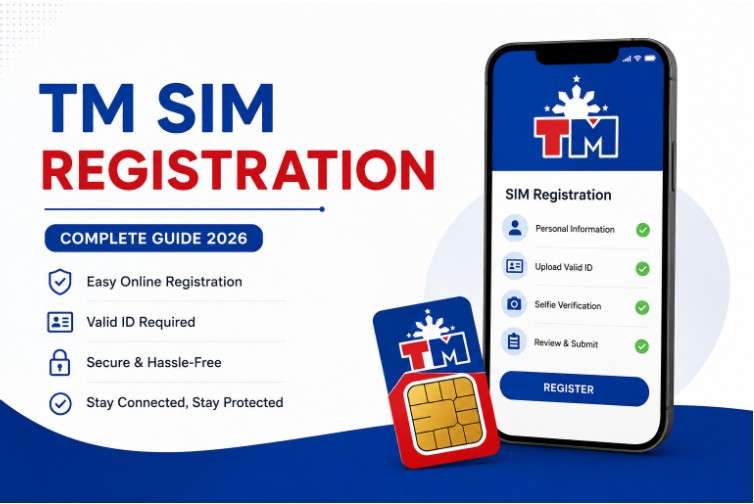
TM SIM registration is now a required process for all TM users in the Philippines. Whether you are using a brand-new TM SIM card or an old prepaid number, registration is necessary to continue enjoying calls, texts, mobile data, and other network services without interruption.
The government introduced SIM registration to improve security, reduce scam activities, and help verify the identity of mobile users. Unregistered SIM cards may eventually become deactivated, which means users can lose access to important services linked to their number.
This complete guide explains how TM SIM registration works, the requirements you need, common problems users face, and important tips for successful registration.
What is TM SIM Registration?
TM SIM registration is the process of linking your TM mobile number to your personal identity. TM operates under Globe Telecom, and all subscribers are required to register their SIM cards using valid information and identification documents.
The system helps improve online safety and prevents anonymous SIM misuse for fraud, spam, and illegal activities.
Who Needs to Register TM SIM?
TM SIM registration is required for:
- New TM prepaid users
- Existing TM subscribers
- Users with active old TM SIM cards
- Mobile data users under the TM network
All active SIM cards must be registered to avoid service interruption.
Requirements for TM SIM Registration
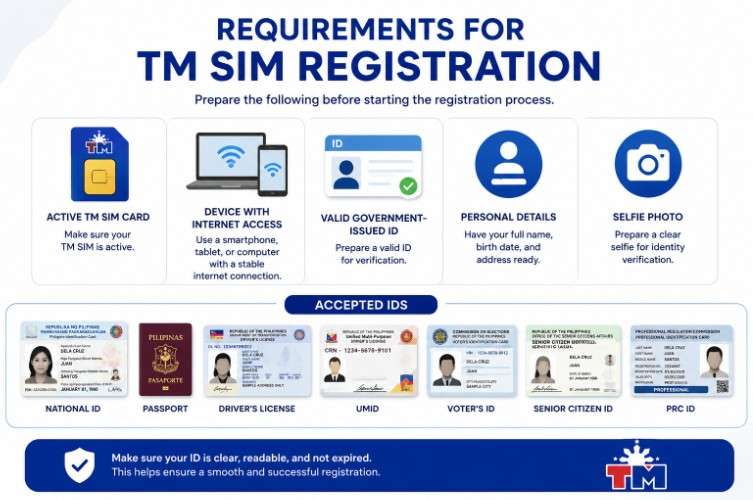
Before starting the registration process, prepare the following:
- Active TM SIM card
- Smartphone, tablet, or computer with internet access
- Valid government-issued ID
- Personal details such as full name, birth date, and address
- Selfie photo for identity verification
Accepted IDs may include:
- National ID
- Passport
- Driver’s License
- UMID
- Voter’s ID
- Senior Citizen ID
- PRC ID
Make sure your ID is clear, readable, and not expired.
How to Register TM SIM Online
Step 1: Visit the Official Registration Portal
Open the official TM or Globe SIM registration website https://tmsimsregister.ph/.
Step 2: Enter Your TM Mobile Number
Type your TM number correctly and request the OTP verification code.
Step 3: Verify OTP Code
Enter the One-Time Password sent to your TM SIM card.
Step 4: Fill Out Personal Information
Provide accurate information including:
- Full name
- Birth date
- Gender
- Nationality
- Address
Ensure all details match your valid ID.
Step 5: Upload Your Valid ID
Take a clear photo of your ID and upload it to the registration system.
Step 6: Upload Selfie Photo
Take a clear selfie photo for identity verification.
Step 7: Review and Submit
Double-check all information before submitting your registration form.
Step 8: Wait for Confirmation
After successful registration, you will receive a confirmation message from TM.
Benefits of TM SIM Registration
Completing TM SIM registration provides several advantages:
- Better protection against scams and fraud
- Safer mobile transactions
- Continuous access to TM services
- Easier SIM replacement if lost
- Improved account security
Registered SIM cards are also easier to recover if your phone gets lost or stolen.
Common TM SIM Registration Problems
OTP Not Received
Poor signal or network congestion can delay OTP messages. Restart your phone or request a new code.
Registration Website Not Loading
Try using another browser or switch to a more stable internet connection.
Invalid ID Upload
Make sure your ID image is clear, complete, and properly lit.
Registration Failed
Double-check all personal details and make sure they match your valid ID exactly.
Tips for Successful TM SIM Registration
- Use a stable internet connection
- Enter correct information carefully
- Upload high-quality ID photos
- Keep screenshots of confirmation messages
- Complete registration in one session if possible
What Happens if You Do Not Register Your TM SIM?
If your TM SIM remains unregistered, it may be permanently deactivated. This means:
- No calls or texts
- No mobile internet access
- No OTP verification for banking apps
- Loss of access to services linked to your number
That is why completing registration before the deadline is extremely important.
TM SIM Registration for Foreign Nationals
Foreign nationals using TM SIM cards may also register by providing:
- Passport
- Visa details
- Travel documents
- Proof of address when required
Additional verification may apply depending on visa type and duration of stay.
Conclusion
TM SIM registration is now an important requirement for all TM users in the Philippines. The process is simple, quick, and designed to improve security for mobile users.
By preparing the correct documents and following the proper steps, you can successfully register your TM SIM and continue enjoying uninterrupted mobile services, calls, texts, and internet access safely and securely.